How to move your emails automatically to a new folder by skipping Inbox
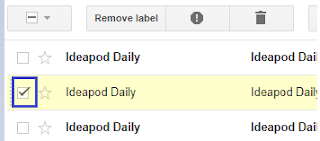
Well, everyone in today's world agrees that the emails are one of the fastest ways to convey your message to another person. Since everyone is using this method to communicate with others, if one knows your email address, she/he can send you any data in text or images or video formats to your email account. Having bombarded with too many emails in your Inbox, organising them well will help you to a greater extent. Did you ever think of separating them or grouping them under one head? If yes, then continue reading this article to better organise your mail Inbox, especially in offices, where you need to keep your mailbox intact and display only what is intended to be viewed. Let see how we can skip emails coming from a specific address(or accounts) in Gmail , move directly to a specific 'label' or 'folder' or 'directory'. 1) Login to your Gmail by entering your email address and password. 2) Select the emails that you want to move to a specific folder (to c...

